1. Navigate to the Leads tab

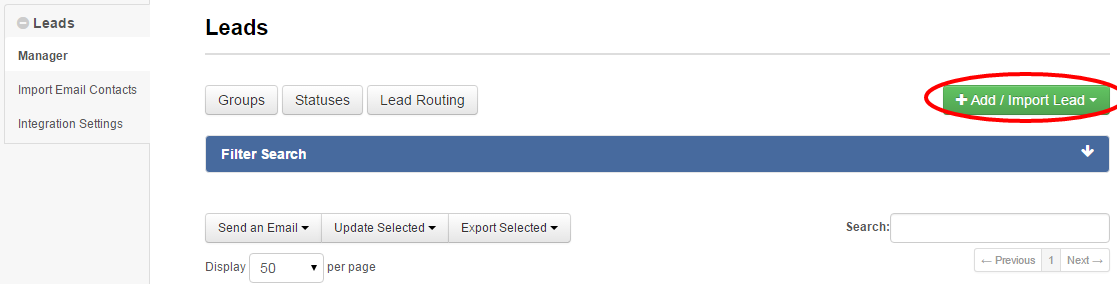
2. Click Add/Import Lead
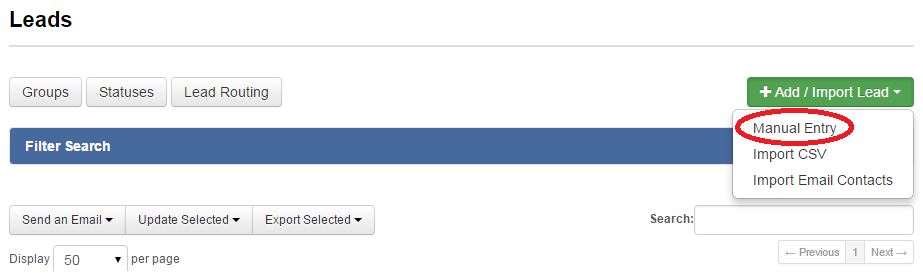
3. Select Manual Entry
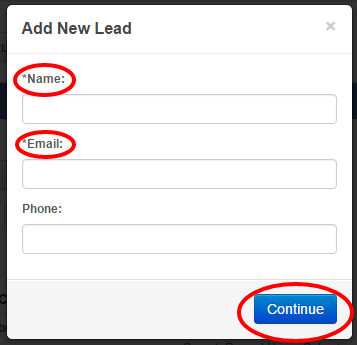
4. Enter the lead’s information, and click Continue
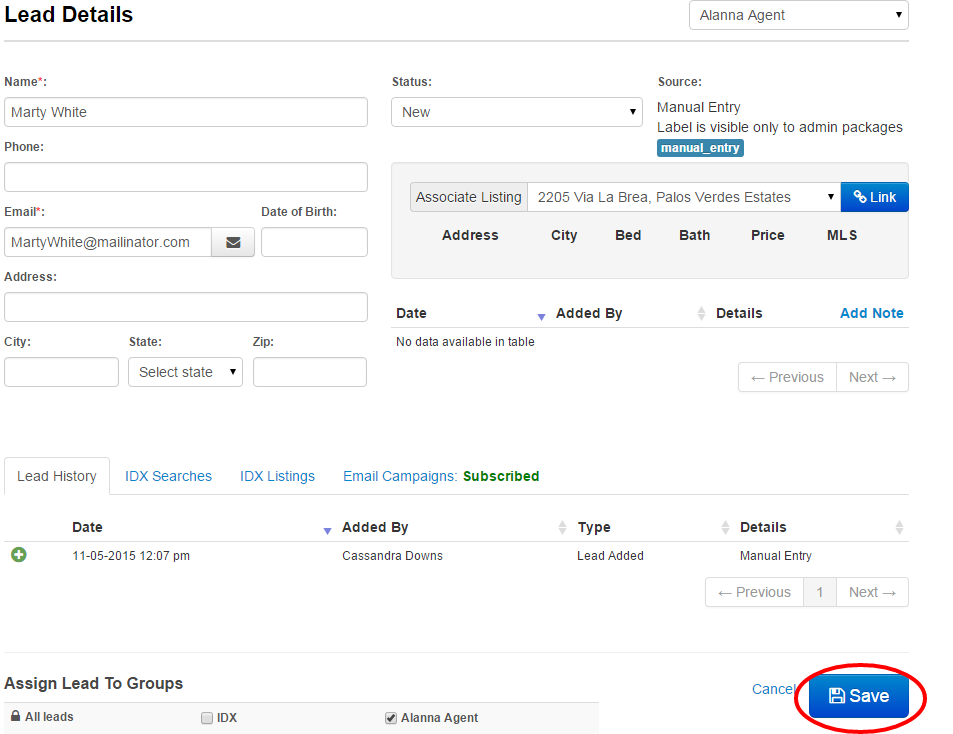
5. Add additional details, then click Save
Last Update: June 11, 2019

1. Navigate to the Leads tab
2. Click Add/Import Lead
3. Select Manual Entry
4. Enter the lead’s information, and click Continue
5. Add additional details, then click Save
Last Update: June 11, 2019